Start with one draft from your book.
Try your first free newsletter preview before setting up your reader list. Upload your manuscript, review the draft, and send a test to yourself.
Preview my newsletter freeFrom sign-up to set-and-forget in 10 minutes.
AuthorMailingLists is built so you spend the first ten minutes setting it up, then weeks at a time ignoring it while it keeps your readers warm. Here's the path most authors take.
Already have an account? Jump to your dashboard →
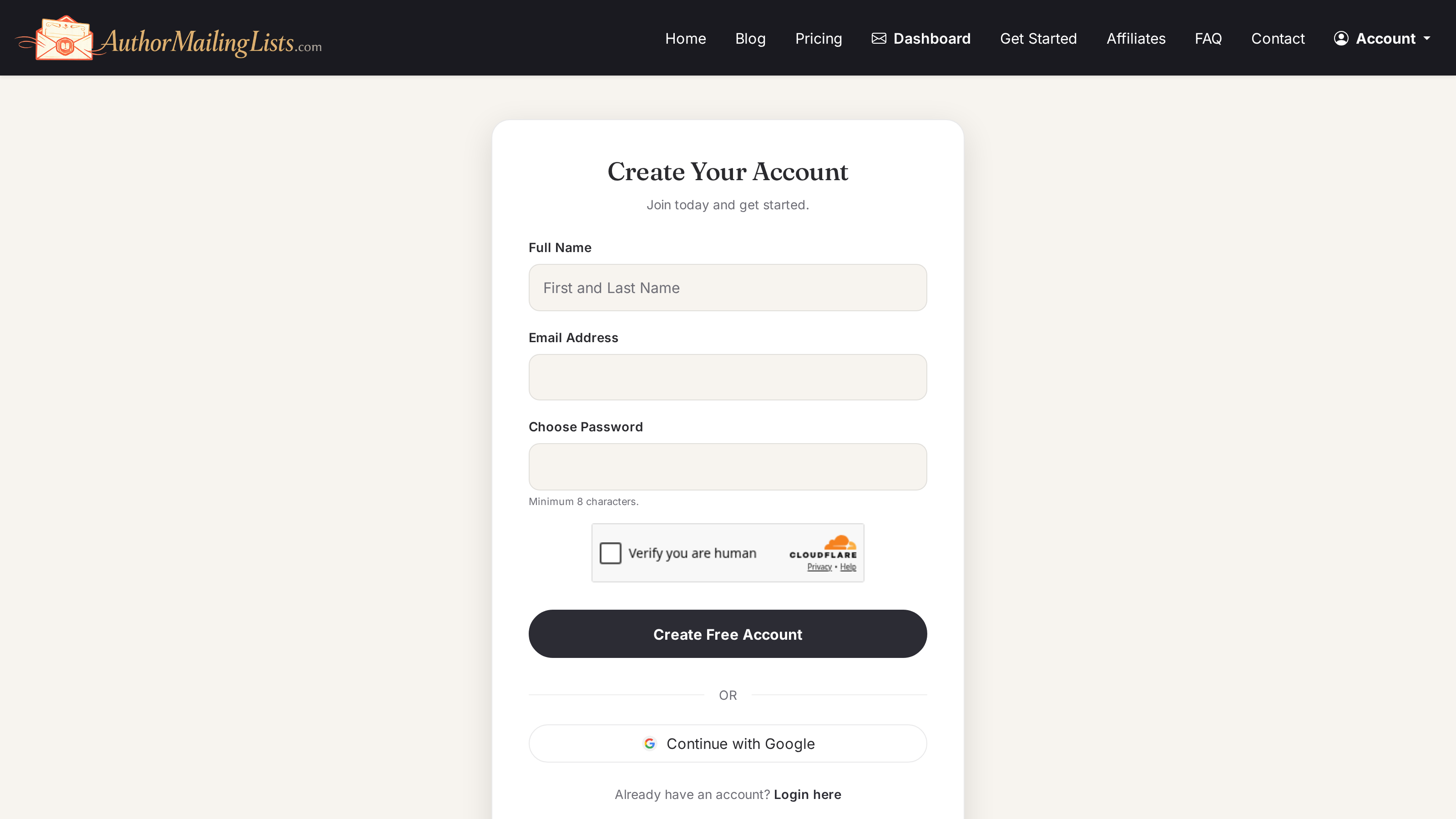
Sign up — 30 seconds
Email + password. No credit card needed for the Free tier: 500 emails / month, 2 lists, and one AI draft preview from your book.
Create your first list — 1 minute
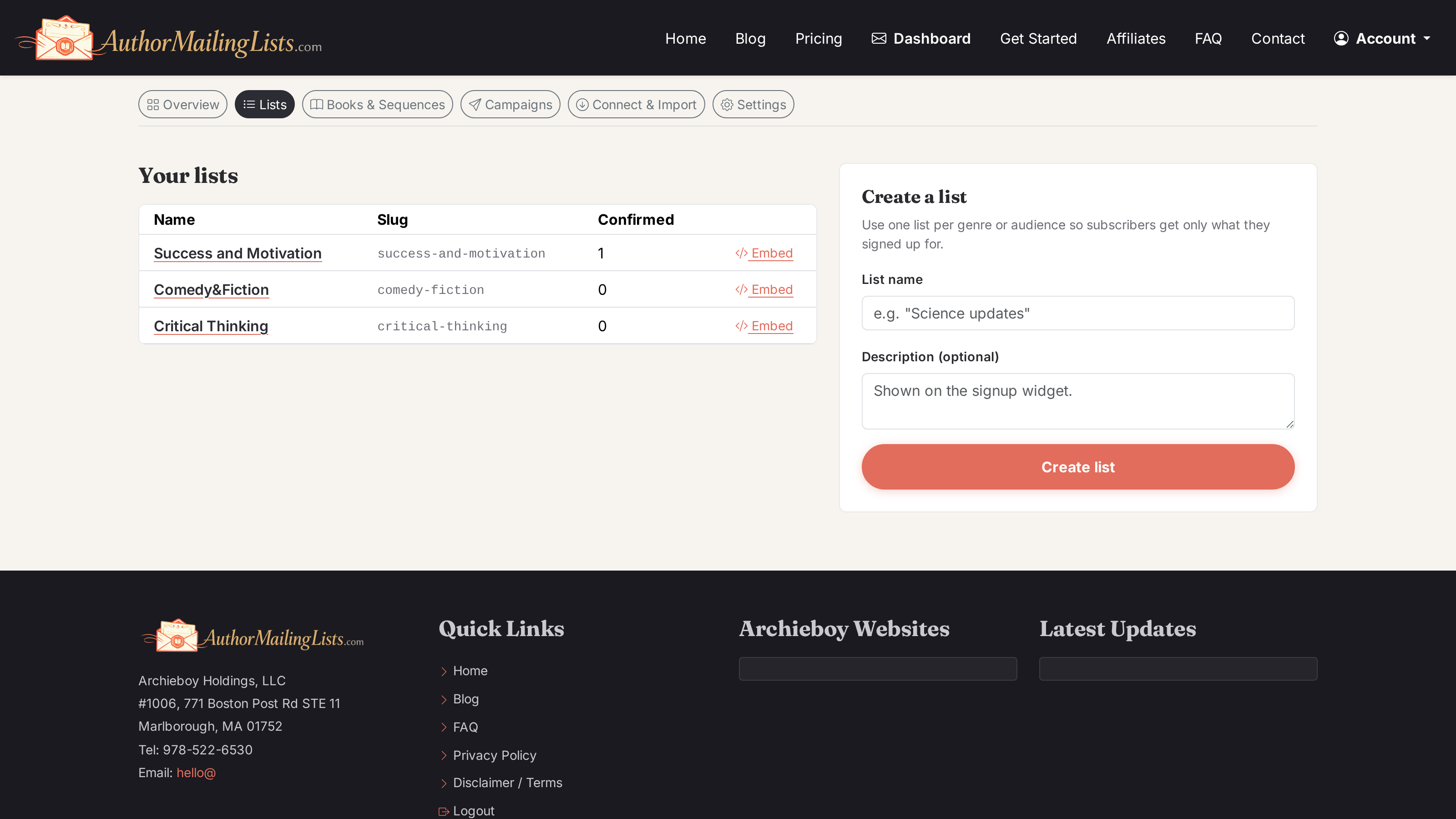
Most authors start with one general list. If you write across genres, create one per genre — subscribers self-select what they want.
Collect subscribers — pick one or both
Two ways to grow the list. You can mix them.
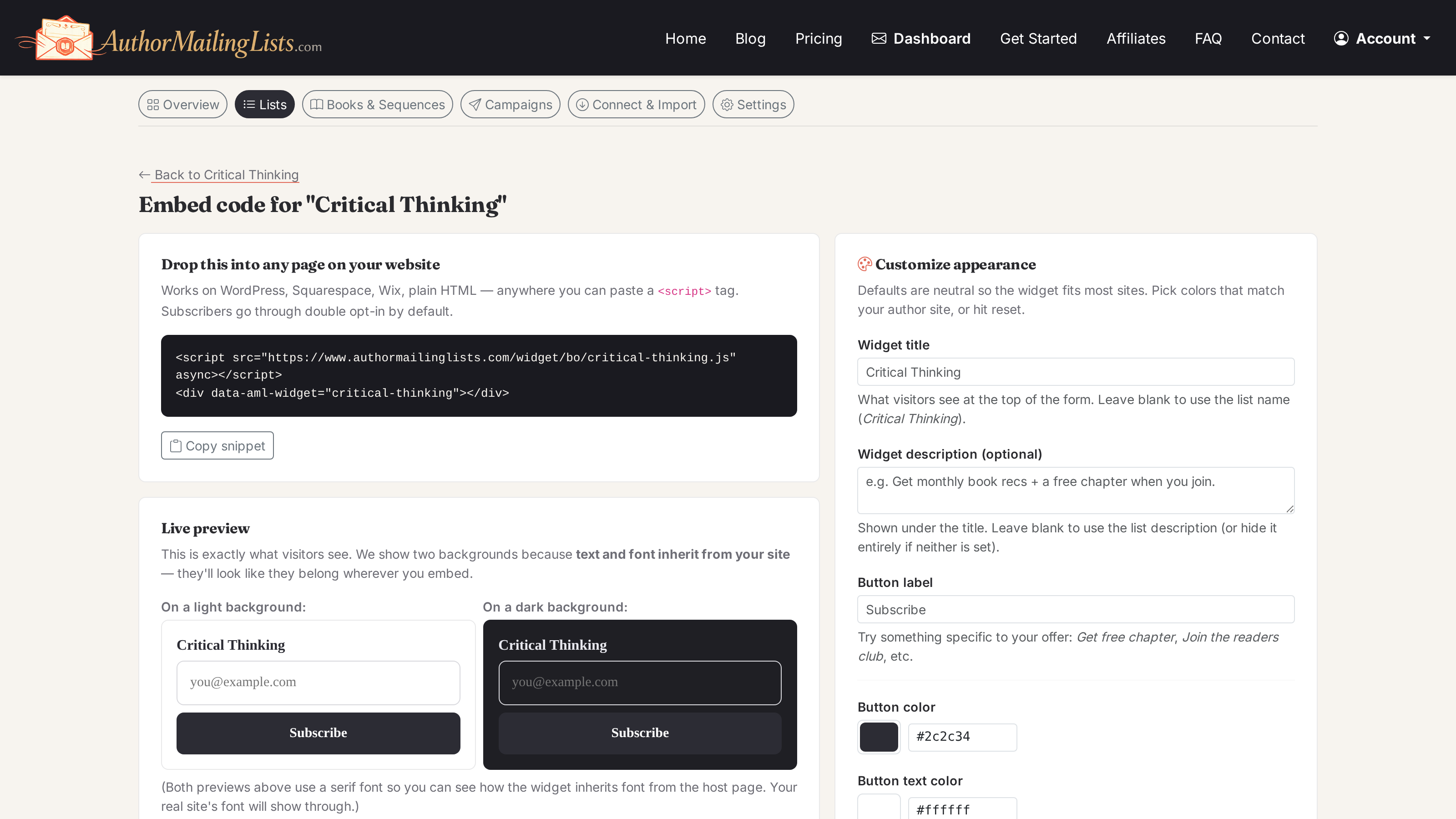
Embed the widget
Paste a single <script> tag onto your author site, blog, or landing page. Subscribers join via double opt-in (we send the confirm email).
Each list has its own embed code — from the list detail page, click Embed code.
Import from Kit or a CSV
Connect Kit directly, or export a CSV from Mailchimp or another provider. Free and unverified CSV migrations re-confirm subscribers; paid native migrations can preserve verified active opt-ins.
From the list detail page, click Import.
Upload a book — 2 minutes unlocks AI
This is the trick. Once a manuscript is in, we extract themes, tone, characters, and quotable passages — and free accounts can preview one AI-written draft before upgrading to schedule or regenerate.
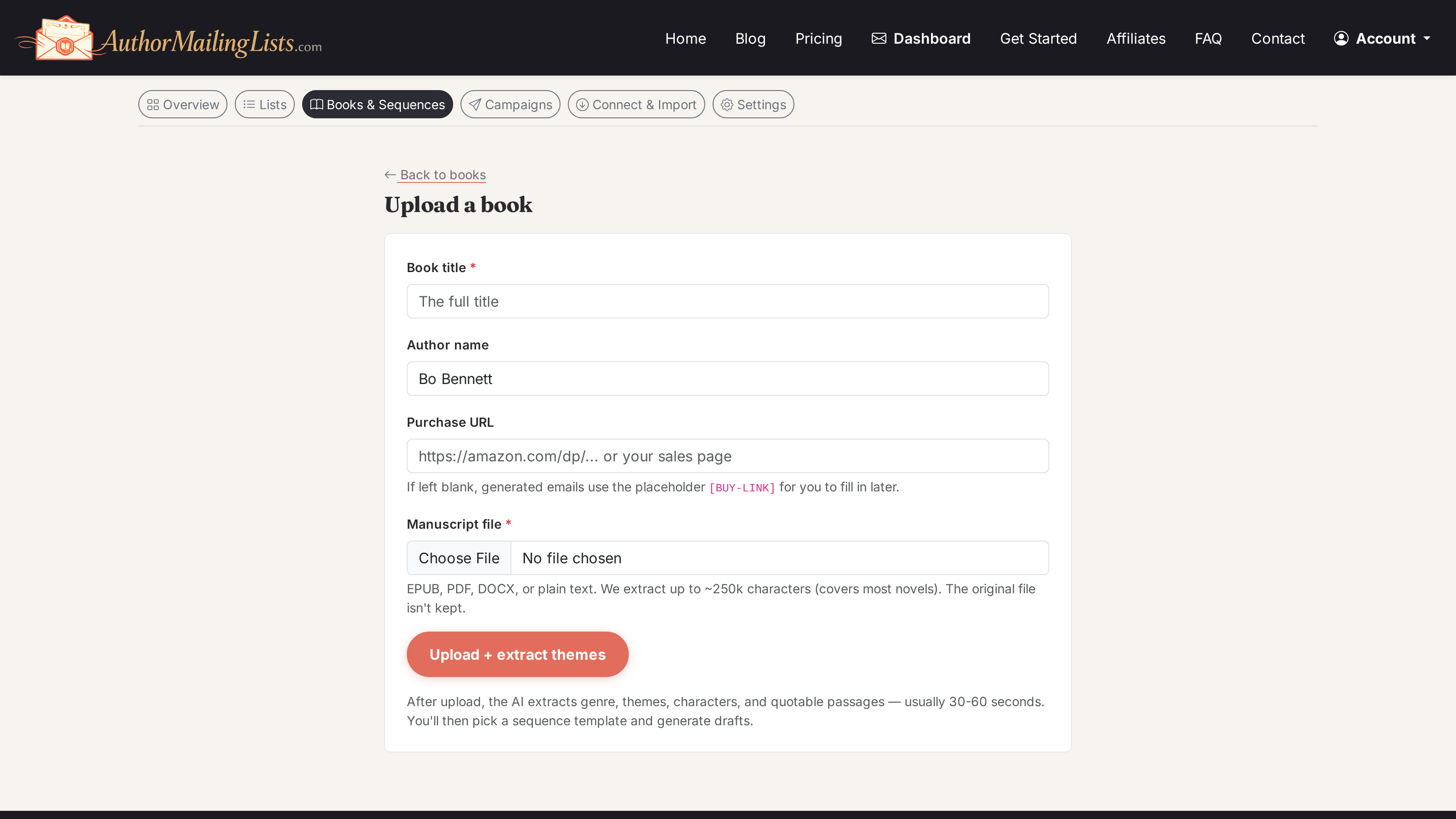
.epub, .docx, .pdf, or .txt. Theme extraction takes 30–60 seconds and runs in the background — you don't have to wait around. The book detail page shows status (extracting → ready) and what we found: genre, tone, themes, and quotable lines.
Turn on Always-On — 30 seconds recommended
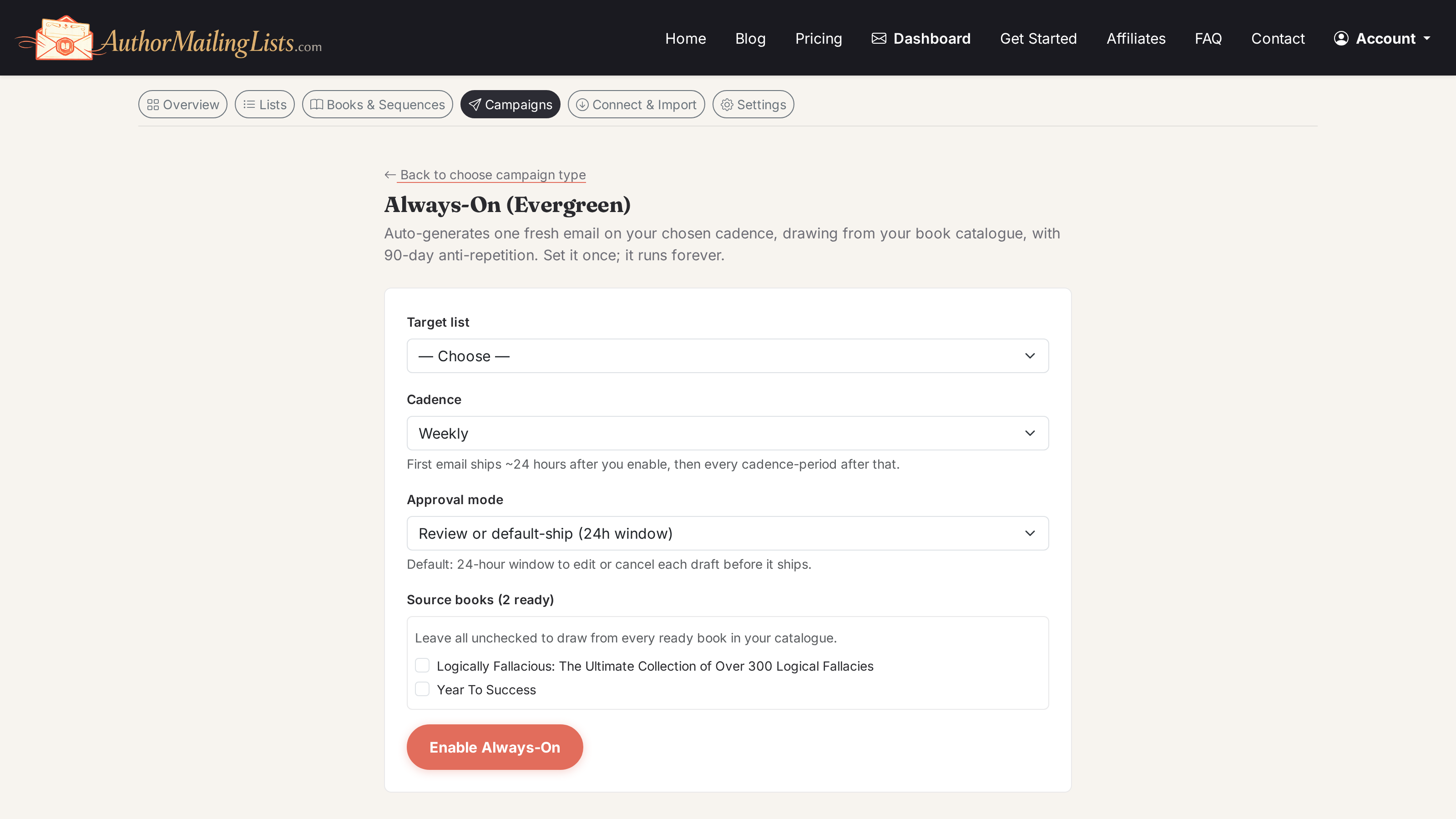
This is the “set it and forget it” part. Always-On auto-generates one fresh email on whatever cadence you pick (weekly, biweekly, monthly), drawing from your book catalogue, with 90-day anti-repetition so subscribers never get the same angle twice.
Watch it run
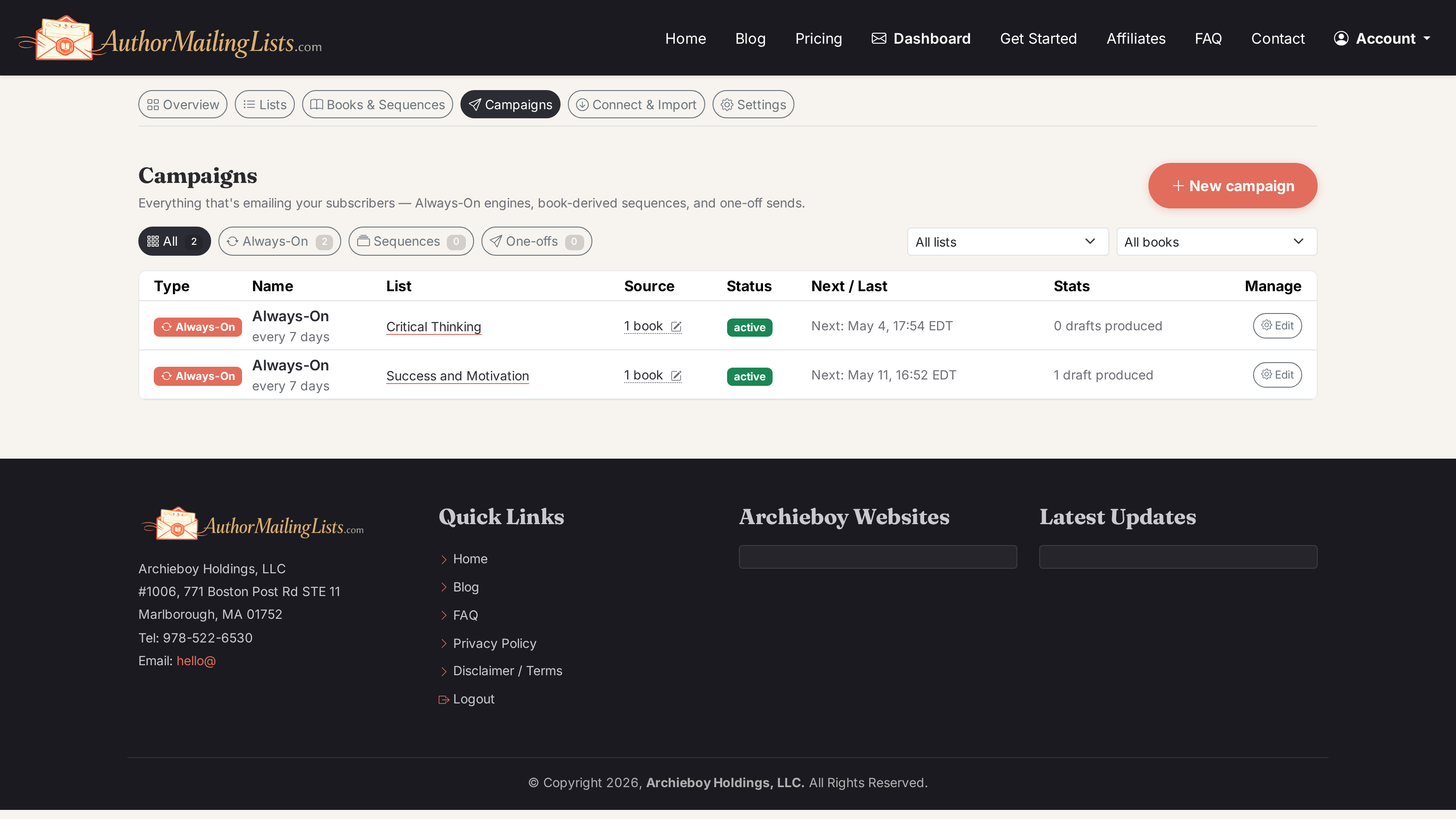
From here forward you mostly just check in. The Campaigns page is your control tower — everything that's emailing your subscribers, in one table. Filter by Always-On / Sequences / One-offs.
Going deeper
Always-On covers ongoing engagement. Two other campaign types fill in the rest.
Sequence from a book
For a launch push or a finite re-engagement run. Pick a book, pick a template (5-email launch / 12 weekly themes / 3-email re-engagement), AI drafts every slot, you review and bulk-schedule.
Try a sequenceOne-off email
A single email you write yourself — for announcements, news, sale alerts. Send now, schedule, or save as draft. Optional A/B subject-line testing.
Compose a one-offAll three can run on the same list at the same time. See the FAQ for how they interact.
Ready to start?
Free tier covers most authors getting started — 500 emails a month is plenty of weekly sends to a couple of hundred readers.
Sign up free See pricing