Before you touch the composer
Three things need to exist before a campaign is worth sending.
- A real list. Not a contact export from your phone. People who opted in to hear from you. If you're starting cold, work through How to Make an Email List (From Scratch) first — sending a campaign to 12 family members will teach you nothing.
- A verified sending domain. DKIM and SPF records on the domain you send from. Without them, Gmail and Yahoo will quietly dump you into spam in 2026 — they tightened bulk-sender rules in 2024 and have been enforcing harder since.
- One specific goal for this campaign. "Sell more books" is not a goal. "Get 200 preorder clicks to the Amazon page by Friday" is.
If any of those three are missing, fix that first. Everything below assumes they're in place.
Step 1: Pick the list (or segment) you're sending to
Open your dashboard and go to Lists. You're deciding who gets this message — not everyone on your list should get every campaign.
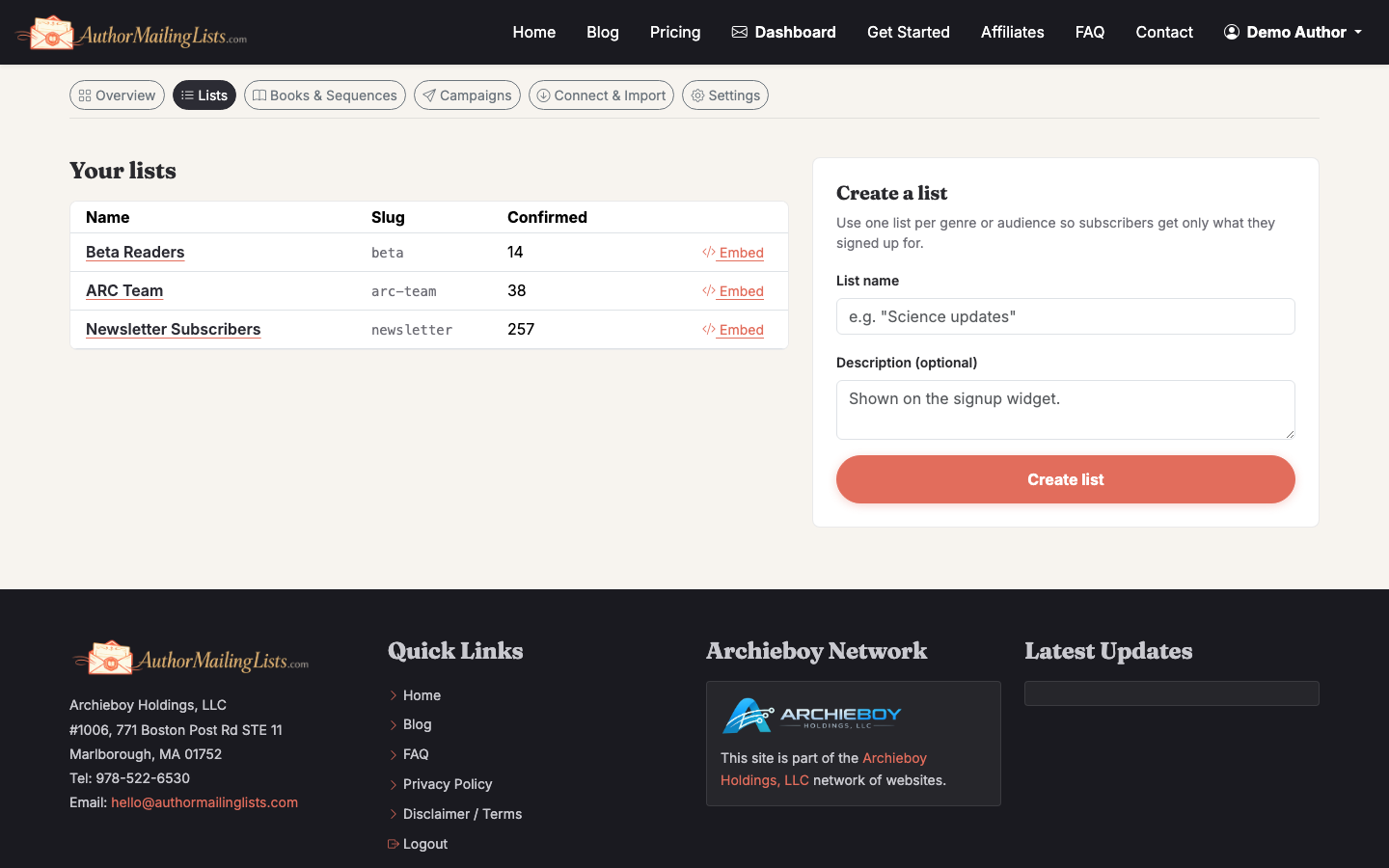
A few defaults that work well:
- Launch announcement → everyone on the relevant series list, minus people who already preordered (if you can tag them).
- Re-engagement → only subscribers who haven't opened in 90+ days.
- Reader survey or ARC call → your most engaged 10–20% (opened in last 30 days).
Segmenting by engagement isn't optional at scale. Sending a launch blast to 5,000 dead addresses will tank your sender reputation for the next message that actually matters.
Step 2: Start a new campaign
From the Campaigns tab, click New Campaign. You'll be asked what type — a one-off broadcast, an automation, or an A/B test. For most launches, a one-off broadcast is correct.
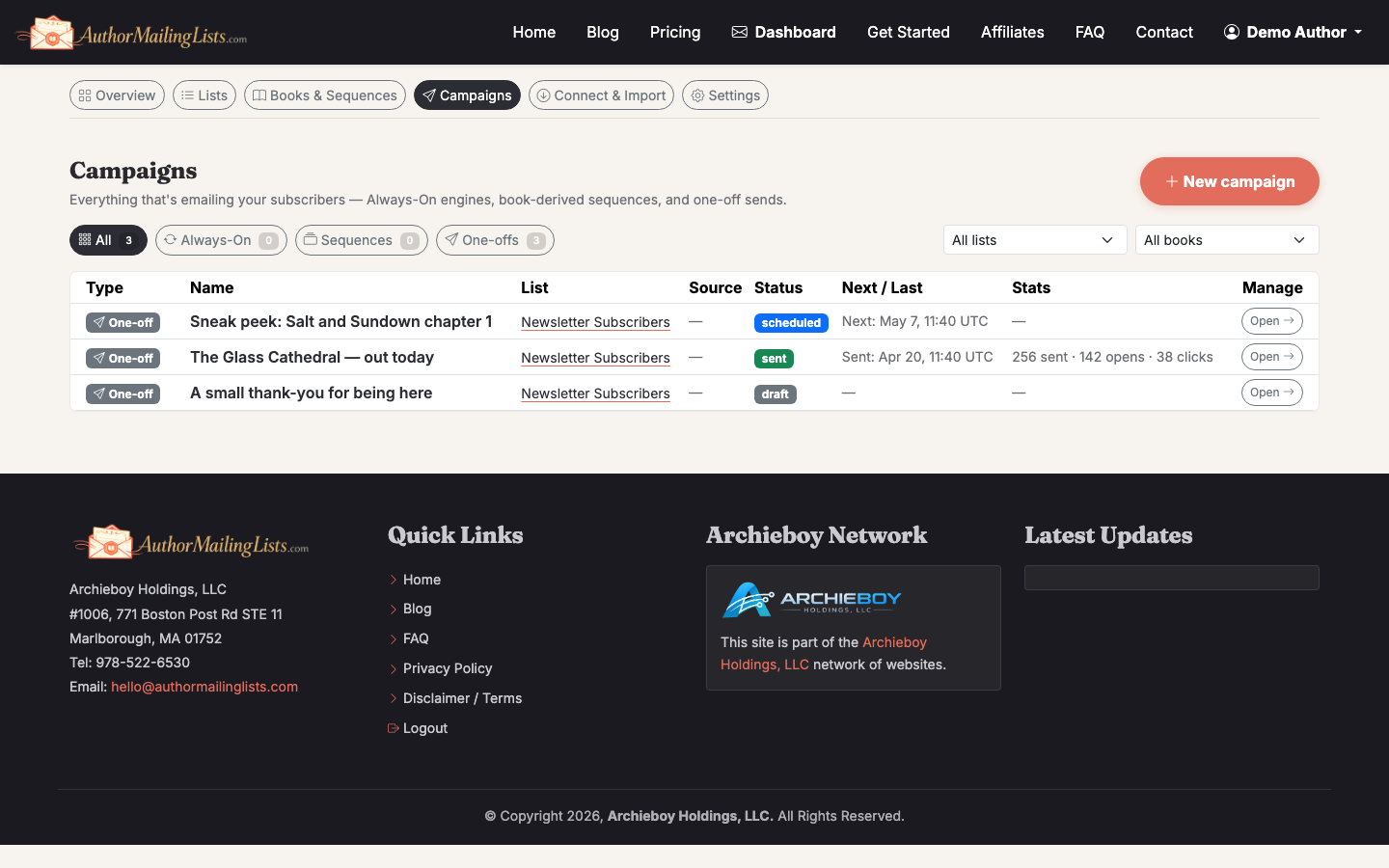
Name the campaign something your future self will recognize: 2026-05 Book3 Launch Day beats Campaign 4.
Step 3: Write the subject line (and a preheader)
The subject line decides whether the email gets opened. The body decides whether it gets clicked. Spend disproportionate time on the subject.
What actually works for author emails:
- Specific over clever. "Book 3 is live — and the ebook is $0.99 today" beats "A little something for you..."
- Under 50 characters so it doesn't truncate on mobile.
- No emoji-stuffing. One is fine. Three reads as spam.
- Preheader text — the gray line after the subject — is real estate. Use it to extend the subject, not repeat it.
If you have more than ~2,000 subscribers, run an A/B test on the subject. Send variant A to 10%, variant B to another 10%, then auto-send the winner to the remaining 80% an hour later. Our longer walkthrough, How to Use A/B Testing to Optimize Author Newsletter Subject Lines, covers how big a test split needs to be and how long to wait before calling a winner.
Step 4: Write the body
The template that works for nearly every author campaign:
- One sentence of context. Why are you in their inbox today?
- The thing. New release, free chapter, sale — whatever the campaign is for.
- One clear call to action. A button. One link target.
- A human signoff. Your name. Maybe a one-line P.S. with a second-best CTA.
Keep it under 200 words for promotional sends. Readers skim — they're not reading your prose here, they're scanning for whether to click.
Resist the urge to add three CTAs. If the email asks readers to preorder, follow you on TikTok, and answer a survey, none of those things will happen. Pick one.
Step 5: Add the unsubscribe link and check compliance
AuthorMailingLists.com inserts the unsubscribe footer automatically. If you're using a different tool, double-check it's there — it's legally required (CAN-SPAM in the US, GDPR in the EU, CASL in Canada) and Gmail now requires a one-click version for any sender doing more than 5,000 messages a day.
Also required in the footer: a real physical mailing address. A PO box works fine.
Step 6: Send a test to yourself
Always. Every time. No exceptions.
Send the test to two inboxes if you can — a Gmail and an Outlook. Check:
- Does the subject line truncate weirdly?
- Do images load? (Many clients block them by default — your email needs to make sense without them.)
- Does the CTA button work on mobile?
- Does it land in the primary inbox or the Promotions tab?
Promotions tab isn't a death sentence for fiction readers — they expect newsletters there — but if you land in Spam, stop and fix it before sending to your list.
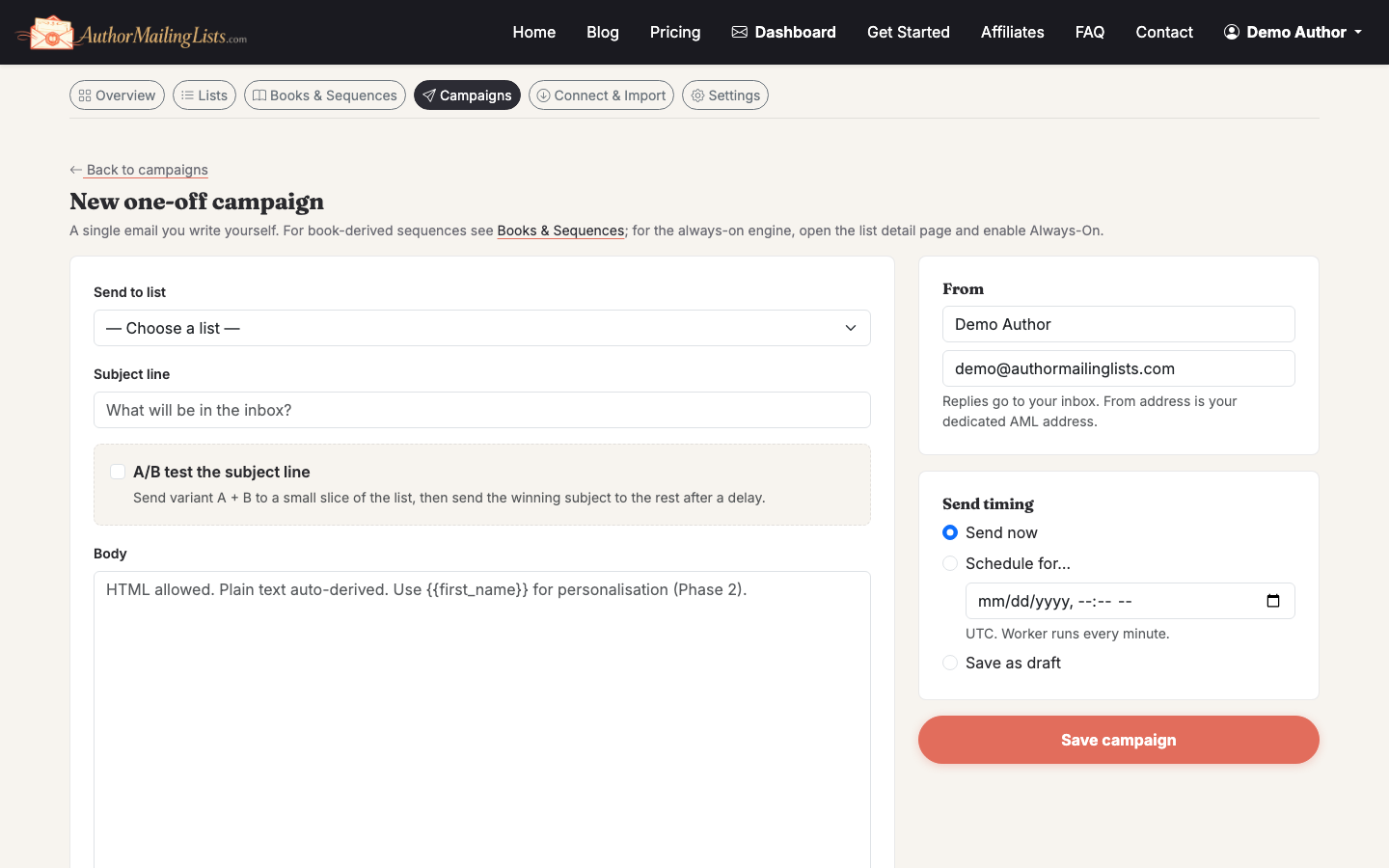
Step 7: Schedule the send
The "best time to send" data is mostly noise. What matters more:
- Tuesday–Thursday mornings tend to outperform Mondays (inbox clearing) and Fridays (people checked out).
- Send in your readers' timezone, not yours. If 70% of your list is US, schedule for 9am Eastern.
- Don't send launch emails on the same day as your major comp authors if you can help it. Check Goodreads release calendars.
Click Schedule rather than Send Now unless it's literally the right minute. Schedule gives you a 5-minute window to spot the typo you'll definitely spot the second you hit send.
Step 8: Watch the first hour, then leave it alone
In the first 60 minutes after send you'll see early open rate and any bounces or complaints. If complaints spike above 0.3%, pause the send — something's wrong (wrong list, misleading subject, you sent to people who don't remember you).
After that, walk away. Refreshing the dashboard every 10 minutes won't change the numbers. Come back at 24 hours and 72 hours to evaluate.
Step 9: Read the report and write down one lesson
For each campaign, write down one thing you'd do differently. Not ten things — one. Over 20 campaigns that's 20 real improvements. Things to look at:
- Open rate — was your subject line and sender name strong? Authors should expect 35–55% on engaged lists.
- Click-through rate — was the offer compelling and the CTA obvious? 3–8% is healthy.
- Unsubscribes — under 0.5% per send is normal. Above 1% means you're sending to people who don't want it.
- Replies — underrated metric. Replies tell mailbox providers you're a real human, which protects deliverability.
If your open rates are low across the board, the issue is usually list quality, not subject lines. Spend the next month on list growth before you optimize copy.
What to send next
A campaign is a one-off. A program is what builds a career. Set yourself up to send something every week — even when there's no launch — so your list stays warm. Our Always-On weekly newsletter drafts itself from your book catalog for exactly this reason: the hardest campaign to send is the one where nothing's happening.